Back up and restore your whole Framer site in one click
Deleted.
Overwritten.
Put back.
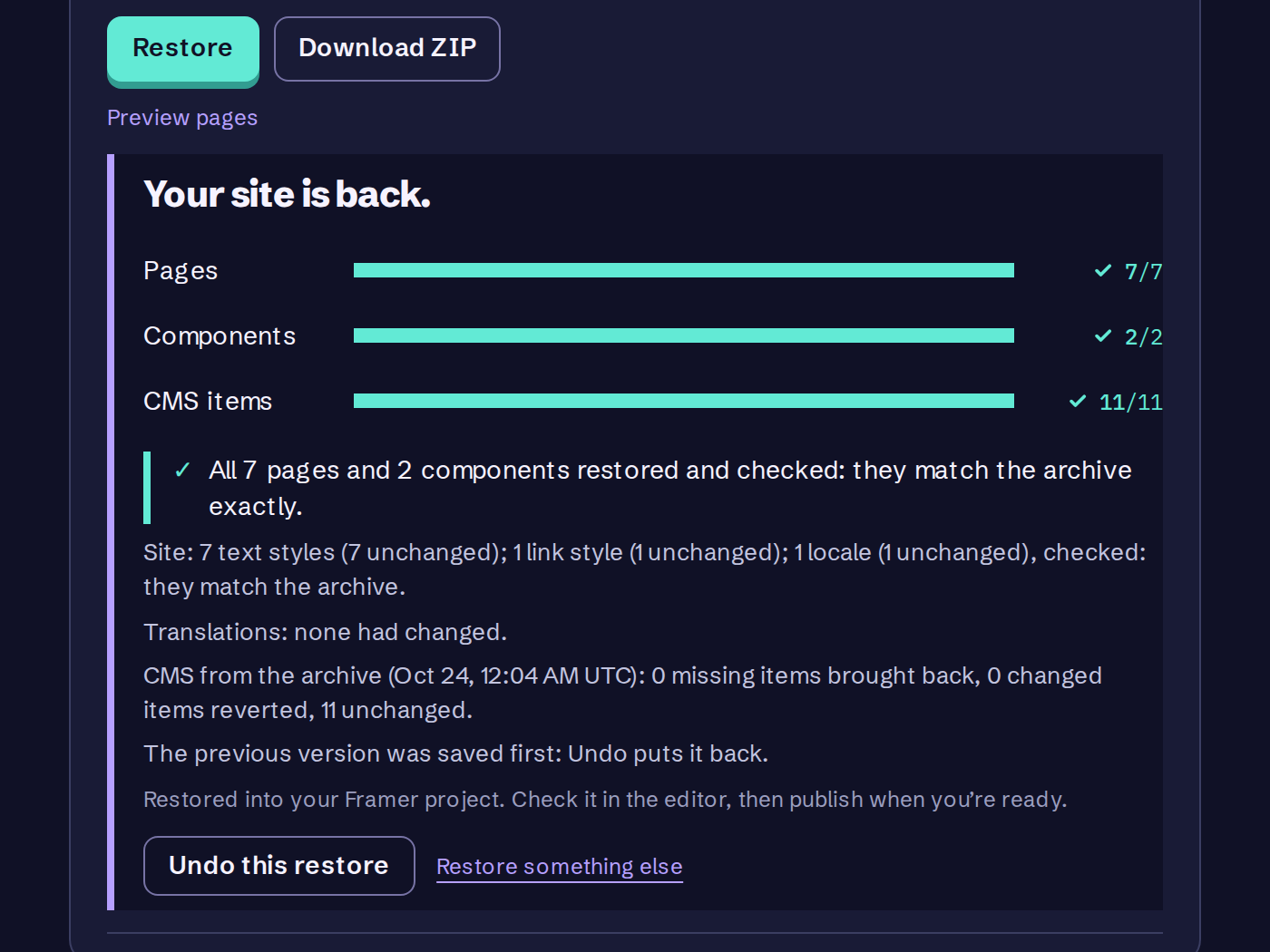
FrameVault backs up your whole Framer site on a schedule: pages, components, styles, code files and CMS content. When something goes wrong, open an archive from before, pick one page or the whole site, and click Restore. It goes back into your Framer project. Nothing goes live until you publish.
Free: weekly CMS backups for one site · no card · Pro: whole-site backup and restore, 7 days free, then $12/mo
Just need a copy now? Get the free FrameVault Backup plugin and export your CMS as JSON or CSV from inside Framer.
Case file
Accidents are small, and noticed late.
Framer keeps versions of your project. FrameVault keeps a separate copy of the whole site outside Framer, pages and CMS together, so you can put back the page that went wrong without rolling back the rest.
- Mon 14:02A client clears out old pages. The pricing page goes with it.
- Tue – ThuNobody notices. The rest of the site looks fine.
- Fri 09:15“Why does the pricing link go to a 404?”
- Fri 09:17Open Monday’s archive. Pricing: not in your project now.
- Fri 09:22Restore it. The page and its CMS content are back. Publish. Back to work.
How it works
- 1
Connect
Paste your project URL and a Framer Server API key. We check it, then store it encrypted. It never goes back to your browser.
- 2
Check the first copy
Run a backup straight away and open it. Every collection, every item. Download it as JSON or CSV if you like.
- 3
Let it run
Free backs up your CMS every week. Pro, Studio and Agency back up the CMS daily and archive the whole site, ready to restore. If a backup fails, or CMS items vanish between backups, we email you.
- 4
Put it back
Open an archive from before the change, pick one page or the whole site, and click Restore. It goes back into Framer, CMS included. You can also restore single CMS items from a backup.
After every release
We break a real Framer project on purpose.
A backup you have never restored is a hope, not a backup. So every release of FrameVault has to survive this before it reaches your sites. If any step fails, the release is flagged.
Release test · report
useframevault.com
- 01Sign in through the real form, connect a real Framer projectOK
- 02Back up every collection, download the file, check it matchesOK
- 03Edit one article in Framer, delete anotherOK
- 04Restore the edited article on its ownOK
- 05Restore the whole collectionOK
- 06Check every field, item ID and the item order against the originalOK
- 07Clean up and leave nothing behindOK
ResultPass
Restore verified
What goes in a backup
CMS backup · included
Every CMS collection and every item in it
All field values: text, formatted text, numbers, toggles, dates, colors, links and references
Image and file fields, saved as their Framer URLs
Each item’s slug and draft or published state
CMS backup · not included
Pages, components and anything else on the design canvas. Those go in the site archive below.
Separate copies of CMS image and file uploads.
Restoring an item that still exists keeps its ID. A deleted item comes back with a new ID, and FrameVault tells you when that happens so you can re-link any references to it.
Site archive
Pro, Studio and Agency
Your editable Framer project: pages, components, styles, code files and CMS content
A complete copy of every published page: HTML, scripts, images, fonts, CSS, sitemap.xml, robots.txt and a README for rebuilding it
Desktop and mobile screenshots of every page
Saved on its own schedule for each site: weekly on a day you choose, daily, or off. Weekly by default
History: keep up to the newest 10 archives on Pro, 30 on Studio and Agency
Stored on FrameVault: 5 GB per site on Pro, 15 GB on Studio and Agency. Files that haven’t changed are stored once
Download any archive as a ZIP
Your Site Settings as a text file, to re-enter by hand. Framer has no way for an app to write them
Restore puts one page or the whole site back into your Framer project, CMS included, with Undo. Whole-site archives and restore are on Pro, Studio and Agency. The Free plan backs up your CMS.
Pricing
Free is CMS backups. Whole-site backup and restore start at Pro, and Pro starts with 7 days free.
Free
1 site · Weekly CMS backups, plus manual backups any time · 7 days of history · Browse, compare and download (JSON, CSV) · Email alert if CMS items disappear
Start freeUSD · cancel any time
Pro
$12 /mo
Billed monthly
7 days free, then $12/month. Cancel any time before day 7 and you pay nothing.
For sites where the content is the business.
- 5 sites
- Daily CMS backups, plus manual backups
- 90 days of history
- Restore one item, one page or the whole site into Framer
- Site archive: every published page, with desktop and mobile screenshots
- Archives weekly or daily, keep up to 10, download any as a ZIP
- 5 GB of archive storage per site
- Everything in Free
Studio
$79 /mo
Billed monthly
For a studio's client sites.
- 25 sites
- Daily CMS backups, plus manual backups
- 180 days of history
- Restore one item, one page or the whole site into Framer
- Site archive: every published page, with desktop and mobile screenshots
- Archives weekly or daily, keep up to 30, download any as a ZIP
- 15 GB of archive storage per site
- Everything in Free
Agency
$149 /mo
Billed monthly
Every client site in one account.
- 50 sites
- Daily CMS backups, plus manual backups
- 180 days of history
- Restore one item, one page or the whole site into Framer
- Site archive: every published page, with desktop and mobile screenshots
- Archives weekly or daily, keep up to 30, download any as a ZIP
- 15 GB of archive storage per site
- Everything in Free
More than 50 sites, invoicing or a DPA? Talk to us
Who keeps the files
FrameVault is a small, independent product. Michael Persson built it and is the person accountable for it. Day-to-day engineering and support are handled by a small AI team working under his supervision, which is how a $12 product can answer every email and test every release.
Write to support@useframevault.com with a question, a bug or something you wish it did. How we handle your data and API keys is on the security page.
Questions
- Q1What do I need to connect a site?
- Your Framer project URL and a Server API key, which you create in the project's site settings in Framer. Nothing to install, no plugin, no change to your canvas.
- Q2Is there a Framer plugin?
- Yes. The free FrameVault Backup plugin exports your whole CMS as one JSON file, or a collection as CSV, from inside the editor. It runs when you click it. The hosted service is what backs up on a schedule and restores.
- Q3Can I try it before paying?
- Yes, two ways. The Free plan backs up the CMS of one site every week and lets you browse, compare and download every backup, with no card. Restoring into Framer and the site archive are on Pro, Studio and Agency, and Pro starts with a 7-day free trial: you add a card, nothing is charged for 7 days, and if you cancel in Manage billing before day 7 you pay nothing. The trial is for your first subscription.
- Q4Can I restore a page or my whole site into Framer?
- Yes, on Pro, Studio and Agency. Open a site archive in your dashboard, pick one page or the whole site, and click Restore. The whole site brings back every page, component, color and text style, code file and the CMS content. One page brings back that page, the CMS collections it shows, and anything it uses that was deleted. Edited pages are put back in place and deleted ones come back. Undo puts the project back as it was just before the restore. You get the Framer editor as it was when the archive was saved, unpublished changes included, and nothing goes live until you publish. Framer does not let an app write Site Settings (custom code, domains, favicon and social image, forms, password), so each archive saves them in site/settings.txt to re-enter by hand. Uploaded custom fonts are listed as a manual step too, and redirects come back only on Framer plans that include them.
- Q5Can I keep a copy of the whole site, not just the CMS?
- Yes, on Pro, Studio and Agency. Framer has no HTML export, so FrameVault saves one for you: every page in your sitemap as HTML, with the script bundles that run animations and interactions, all images, fonts and CSS, plus sitemap.xml, robots.txt and a README for hosting it on Netlify or Cloudflare Pages. Each archive also has desktop and mobile screenshots of every page. Set it to weekly, daily or off for each site, keep up to 10 archives on Pro or 30 on Studio and Agency, and download any of them as a ZIP. Sites of any size are saved in the background. Forms keep their markup; where submissions go after rehosting is explained in the README. Each archive also keeps the editable Framer project: pages, components, styles, code files and CMS content. That is what Restore puts back.
- Q6What happens to my backups if I cancel?
- You keep your account on the Free plan. Free covers one site: your most recently connected site keeps its weekly CMS backup, and any other sites are paused until you subscribe again. History is trimmed to 7 days on the next cleanup, and your latest complete backup is always kept. Cancel from the billing portal in your dashboard. Cancel during the 7-day Pro trial and you are not charged at all; Pro stays on until the trial ends.
- Q7Framer's Server API is in beta. Does that matter?
- FrameVault reads and writes your project through it, so if Framer changes the API we have to follow. We run a backup-and-restore test against a real Framer project after every release, so a breaking change shows up in our test before it reaches you.